DStv decoder installation sounds simple: plug it in, switch it on. Often it is. But a new decoder can expose problems the old one hid, an upgrade can need different equipment on the dish, and a decoder that "suddenly died" sometimes turns out to be a cable fault. As an authorised DStv installer serving Gauteng, OnspotElec installs new and replacement decoders, handles upgrades and moves decoders between rooms, then tests everything before we leave.
Which Decoder Fits Your Home?
Before you buy, it helps to know what each current decoder type expects from your installation. This is a quick comparison of what changes on the installation side, not a list of channels or packages.
| Decoder | What it does | What it needs from the installation |
|---|---|---|
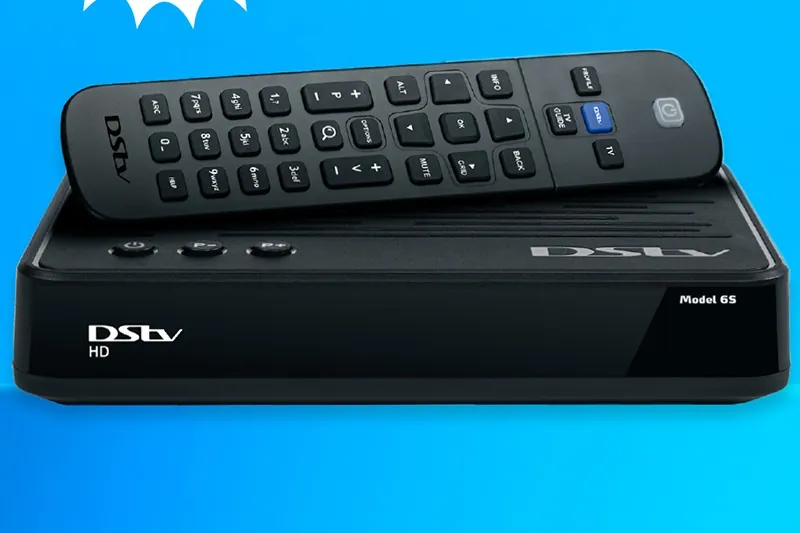
| DStv HD Single View | Entry-level satellite decoder; no recording | A dish, LNB and one sound cable to the TV point |
| DStv Explora | Previous-generation HD PVR; records and pauses live TV | A signal path that supports recording, usually a Smart LNB; Wi-Fi connector for internet features |
| DStv Explora Ultra | Current flagship PVR; 4K-capable, records several channels at once, built-in Wi-Fi and apps | A Smart LNB in most homes, good cabling and a home Wi-Fi connection for catch-up and apps |
| DStv Streama | Internet streaming box | No dish at all, only an internet connection |
We want to be straightforward about the Streama: it streams over the internet and does not use a satellite dish, so it doesn't need a satellite installer. If you are choosing a Streama, you can set it up yourself with your home internet. Everything else on this page applies to the satellite decoders.
If you are moving to an Explora or Explora Ultra, our Explora installation page explains the dish changes in detail.
Replacing a DecoderSwapping a Faulty or Old Decoder
A decoder that won't start, keeps restarting or freezes may genuinely be faulty. Before you replace it, it is worth knowing that several common faults look like a dead decoder but start elsewhere.
- No signal on screen. An E48-32 notification means the decoder isn't getting a usable satellite signal. That is usually the dish, LNB or cabling, not the decoder. Our no-signal assistance deals with this.
- Scrambled channels. Commonly reported codes such as E16-4 are usually subscription or payment related, which DStv sorts out, not an installer.
- Remote not responding. A flat battery or blocked sensor is far more common than a failed decoder. The article on remote control problems lists simple checks.
- Only some channels missing. This is often a subscription or weak-signal issue rather than hardware.
When the decoder really is the problem, we disconnect the old unit, connect the replacement, confirm signal strength and quality, and check that the picture comes through on the right TV input. If your old decoder had recordings, remember they stay on that decoder and don't move across.
The guide to DStv decoder replacement covers the decision in more depth.
Moving a decoder to another room
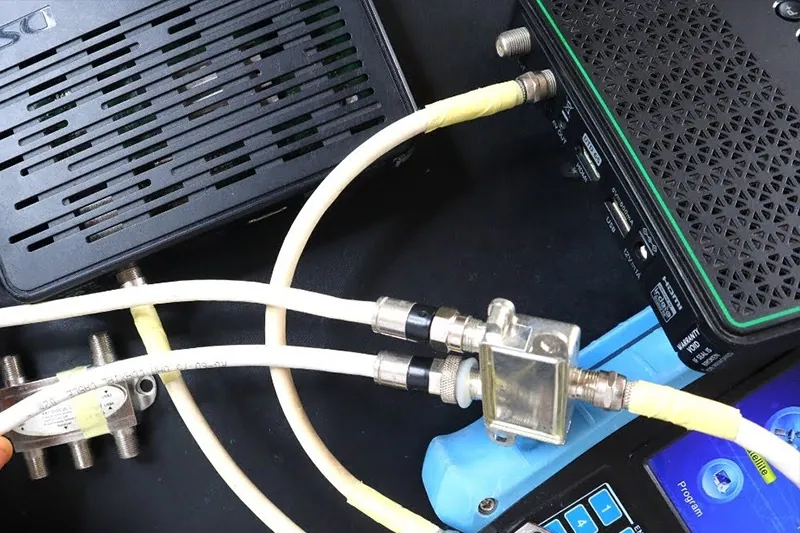
Moving a decoder is only as easy as the cable. If the new room already has a satellite point fed from the dish, it may be a matter of moving the decoder and checking the signal. If not, a new cable run is needed from the dish or distribution point, routed neatly through the roof, along the wall or through existing conduit. We look at the options and quote for the route that makes sense. Wanting TV in both rooms at once is a different job, covered on our XtraView and extra TV point page.
Smartcards, Activation and Getting the Picture Right
Activation is where people most often get stuck, so here is who does what.
- DStv activates the decoder. Activation, your account and your subscription are handled by DStv. We can't activate decoders or change accounts, but we can be at the decoder while you go through DStv's process, read out the smartcard and decoder details and confirm the decoder is receiving signal.
- The smartcard must be seated properly. A commonly reported E04 message means the smartcard is missing or not inserted correctly. Check it is in the right slot, the right way round and pushed fully home.
- An activation pause is normal. After activation or renewal, an E30-style message asking you to wait while your subscription is confirmed is common. Leave the decoder on and give it time.
- HDMI and TV input. Use the HDMI cable supplied or a good-quality one, select the matching input on the TV and set the decoder's output resolution to suit your screen.
- Power and placement. Give the decoder space to breathe in the cabinet. PVRs in particular run warm when tucked into closed shelves.
For billing, payments or account questions, go to DStv's self-service channels.
New decoder, old installation, and you're not sure it will work together? Call 083 489 1322 before you start pulling cables. OnspotElec is open 24 hours.
We install and replace decoders across Gauteng, from Randburg to Kempton Park. Pricing depends on whether the job is a straight swap or needs new cable, an LNB change or other equipment, and we quote on that basis.
Decoder Installation FAQs
Not always. If you are swapping like for like and the old decoder was working with good signal, many people do it themselves. An installer helps when you are upgrading to a PVR, moving rooms, or the new decoder still shows no signal.
Yes. We install decoders you have already bought and check that your dish and cabling suit it.
Probably not. E48-32 means no usable satellite signal, which usually points to the dish, LNB, cable or a connector. Check the cable is firmly in the satellite input, then call us if the message stays.
No. Recordings are stored on the decoder that made them and don't transfer to a replacement.
No. Subscriptions, billing and account changes are handled by DStv. We focus on the equipment and installation.
Generally not. It works over your home internet with no dish, so there is no satellite installation involved.