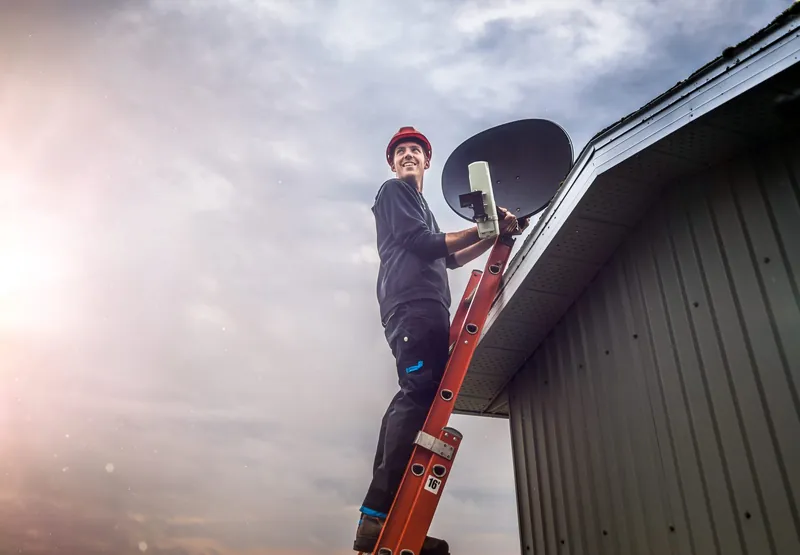
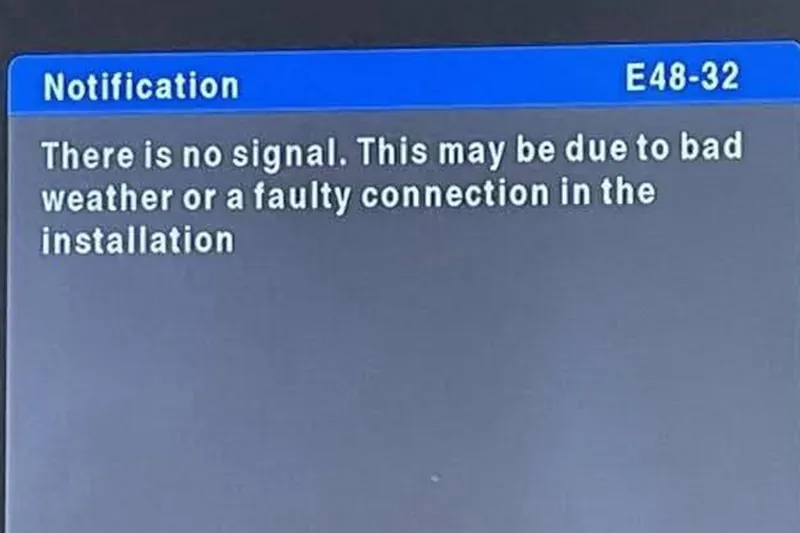
The DStv E48-32 error means your decoder is switched on and working, but it is not receiving a usable signal from the satellite. The on-screen notification reads along the lines of: "There is no signal. This may be due to bad weather or a faulty connection in the installation." That wording is accurate but broad. E48-32 is a symptom, not one specific fault, and the fix depends on what is interrupting the signal.
Often the cause is a heavy storm and the message clears by itself within the storm. When it does not, the problem is somewhere in the chain between the dish and the decoder. Below are the possible causes, the checks that are safe to do yourself, a quick way to tell weather from a fault, and the codes that are often mistaken for E48-32.
What the E48-32 Message Is Really Telling You
Your decoder constantly listens for signal on its satellite input. E48-32 appears when what reaches it is too weak, too poor or missing altogether. There may be some signal arriving, just not enough for the decoder to lock on and show a picture.
The message mentions bad weather and a faulty connection because those are two of the most common reasons. It cannot tell you which part of the installation is at fault, and it looks exactly the same whether the cause is a thunderstorm, a chewed cable or a failed LNB. That is why a methodical check matters more than the code itself.
Possible Causes, From Temporary to Hardware
- Heavy rain or storm cloud. Known as rain fade. The signal weakens in the heaviest downpours and comes back as the storm passes.
- A loose, corroded or water-damaged connector. At the decoder, a wall plate, a switch or up at the LNB.
- Damaged coaxial cable. Cut, crushed, kinked, sun-perished or chewed by rodents.
- A dish knocked out of alignment. By wind, hail, a ladder leaned on it or work on the roof.
- A failed LNB. The receiving unit on the dish arm, which sits outdoors in all weather.
- Failed distribution equipment. A switch, splitter or multiswitch, which shares the signal between decoders or units.
- A blocked view of the sky. A tree that has grown, or new construction between the dish and the north-eastern sky.
- A decoder tuner fault. Less common, but possible when the rest of the installation tests fine.
Five Safe Checks Before You Call Anyone
Check the weather
If a heavy storm is overhead, wait. Rain fade is a common reason for E48-32 during Gauteng summers, and nothing you do indoors will speed it up. Give it until the heaviest rain has eased.
Check the other TVs
If you have more than one decoder, see whether they all show E48-32. All of them points to the dish, LNB, main cable or switch. Just one points to that decoder's own cable, wall point or the decoder itself.
Restart at the wall plug
Switch the decoder off at the wall, not with the remote. Leave it for about a minute, switch it back on and give it time to start up completely before judging the result.
Reseat the satellite cable
With the decoder switched off, find the coaxial cable at the input marked for the LNB or satellite (labels vary between models). Make sure it is firmly connected and straight. Look for green or white corrosion or a cracked plug, and do not force a damaged connector.
Look at the dish from the ground
Without climbing anything, check whether the dish is tilted, dented or hanging at an odd angle, whether the LNB is still on its arm, and whether any branches now sit in front of it.
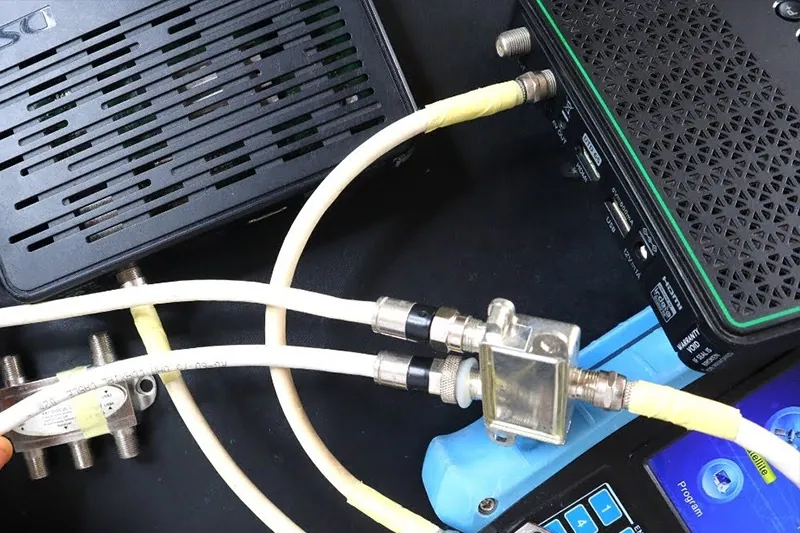
If E48-32 is still showing after all five checks in clear weather, the cause is most likely in the installation itself and needs a technician with a signal meter. Call 083 489 1322 to describe what you found; it helps narrow down what to bring.
Rain Fade or a Real Fault? Telling Them Apart
The same message can mean "wait ten minutes" or "something is broken". These clues help you decide which.
| Clue | Points to weather | Points to a fault |
|---|---|---|
| When it appeared | During a heavy downpour or a dark storm cell | In clear or dry weather |
| How it recovers | Clears as the heaviest rain eases | Stays on after the rain has stopped |
| How easily it is triggered | Only in the worst storms | Even light rain or drizzle sets it off |
| Pattern over time | Occasional, matching the storm season | Happening more often, week by week |
| After the storm | Everything back to normal | Problems start or continue once the rain has gone |
That last row is worth a note. Water can get into a poorly sealed outdoor connector during a storm and cause trouble afterwards, sometimes for days. If E48-32 showed up after a storm rather than during it, a connection fault is more likely than rain fade. Our article on storms and DStv signal explains the weather side in more detail.
Codes That Look Similar but Mean Something Else
People often search for E48-32 when their screen is actually showing a different code. These are the ones most commonly reported, and only E48-32 is a signal problem.
| Code | Commonly reported meaning | Who to contact |
|---|---|---|
| E48-32 | No usable satellite signal reaching the decoder | Check the weather and connections, then an installer |
| E16-4 | Service scrambled, usually subscription or payment related | DStv |
| E30 | Waiting while the subscription is confirmed, often after activation or renewal | Wait a few minutes; DStv if it persists |
| E04 | Smartcard missing or not inserted correctly | Check the smartcard; DStv if it is damaged or not recognised |
| E143-4 | A secondary XtraView decoder waiting for the primary decoder | Check the primary decoder first |
For E16-4 and other account messages, an installer cannot help; use DStv's self-service channels. For E143-4, make sure the primary decoder is switched on and has its own picture. If the primary is showing E48-32, the signal problem is the real issue and fixing it should clear both screens.
What a Technician Checks When E48-32 Will Not Clear
Finding the cause is mostly a matter of testing each part in turn rather than guessing. On a typical no-signal and E48-32 call-out, an installer will work through:
- Signal at the decoder end. Measuring what actually arrives at the wall point or decoder input.
- Connectors and cable route. Inspecting each join for corrosion or water, and the cable for damage between the dish and the TV.
- Dish alignment. Checking the aim with a meter and the mount for movement. See dish alignment and signal correction.
- LNB and switching. Testing the LNB, Smart LNB, switch or multiswitch output.
- Line of sight. Confirming nothing new is blocking the dish's view.
- The decoder. Confirming whether the decoder locks onto a known good signal.
The repair might be a single new connector, a section of cable, a realignment or a replacement LNB. Pricing depends on what the testing finds and the parts required, so you will get a quote based on the actual work.
Do not climb onto the roof to move the dish or check the LNB, and never open the decoder or its power supply. A dish moved by hand without a meter usually ends up further off target. Keep well away from overhead power lines.
E48-32 Questions Answered
Yes, when it is caused by heavy rain. Signal normally returns once the heaviest rain passes. If it stays after the weather clears, something in the installation needs attention.
When the other decoders are fine, the dish and LNB are usually working. Look at that decoder's cable, connector and wall point first. If those are sound, the decoder or its feed from the switch is the next suspect.
Check the cable is in the correct satellite input. Beyond that, an existing installation may need changes for the new decoder; DStv recommends the Smart LNB for all Explora installations, for example. Our decoder installation and upgrades page explains what can be involved.
No. E48-32 is about signal, not your account. Subscription problems usually show different codes, such as E16-4.
No. It involves working at height, and alignment needs a signal meter. Even small movements by hand can make the signal worse.
If E48-32 keeps coming back, or will not clear at all, OnspotElec can trace it for you. We are an authorised DStv installer working across Gauteng, open 24 hours with emergency assistance available. Call 083 489 1322 to check availability; timing depends on your location, the fault and technician availability.