A good DStv installation for a guesthouse or small business starts with one decision: does every screen need to show its own channel, or can they all show the same thing? Guest rooms usually need independent viewing, which means a decoder and a separate signal feed for each room. A bar, restaurant or waiting area often only needs one or two channels shown on several screens. Get that right first and the rest of the plan, from the dish and distribution equipment to the cabling, follows from it.
Before any equipment goes in, there is also the subscription question. Showing DStv to guests or customers generally needs an appropriate commercial subscription, which is arranged directly with DStv and not through an installer. More on that below.
Start With How the Screens Will Be Used
Walk through the property and list every place a screen will go. For each one, note who watches it and whether they need to choose their own channel.
| Space | Typical need | What that usually means |
|---|---|---|
| Guest bedrooms or suites | Each guest picks their own channel | A decoder and an independent feed per room |
| Lounge or breakfast room | One channel, chosen by staff | One decoder, possibly feeding more than one screen |
| Bar or restaurant | Sport or news on several screens | One or two decoders shared across screens |
| Waiting area or reception | Background viewing | A single decoder and screen |
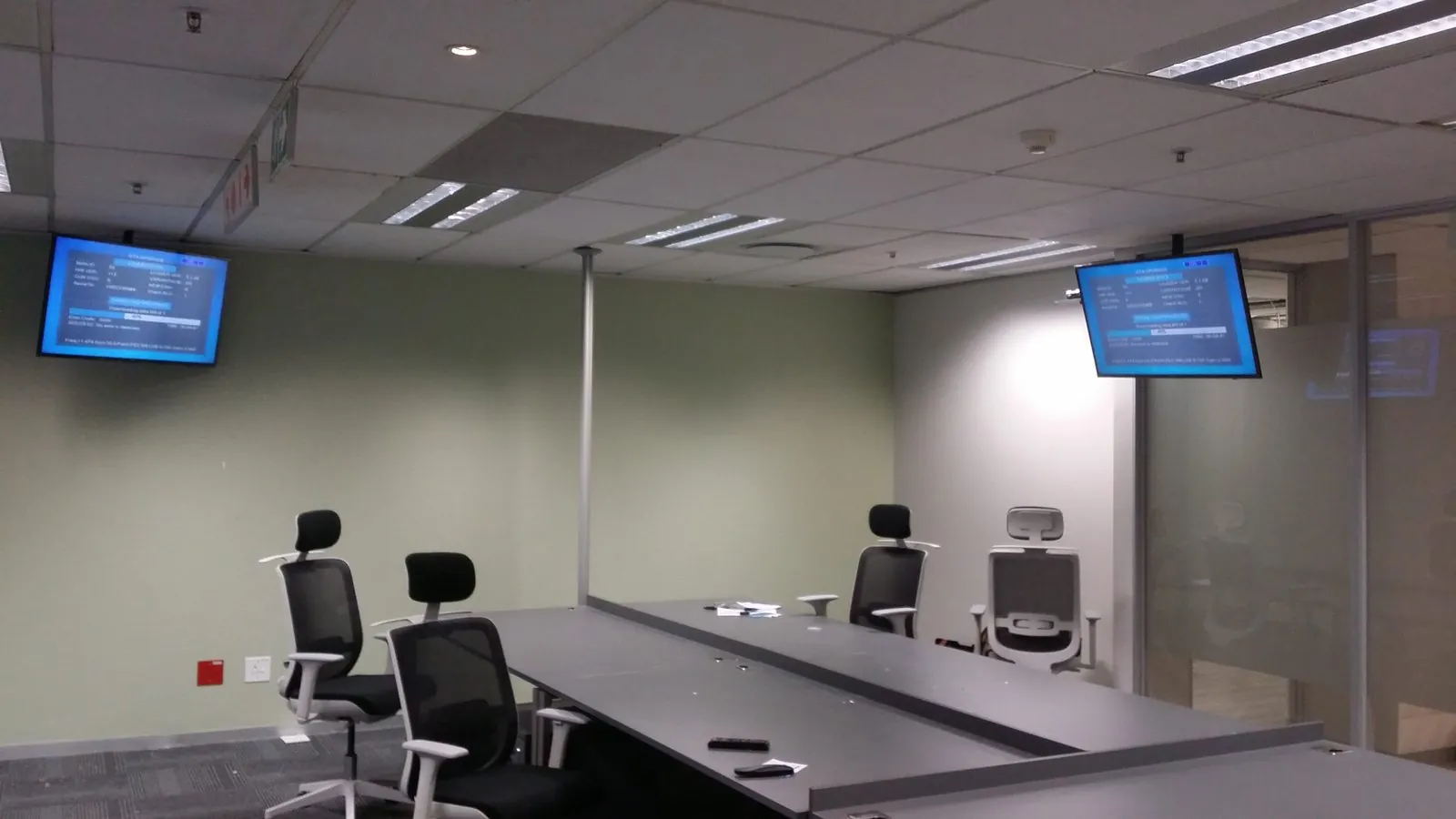
| Office or boardroom | Occasional news or events | A single point, often near a meeting table |
One decoder can be connected to more than one TV, but every screen connected to it shows the same channel. That works in a bar. It frustrates a guest who wants the rugby while the next room is watching a film.
The technical sideDesigning the Distribution System
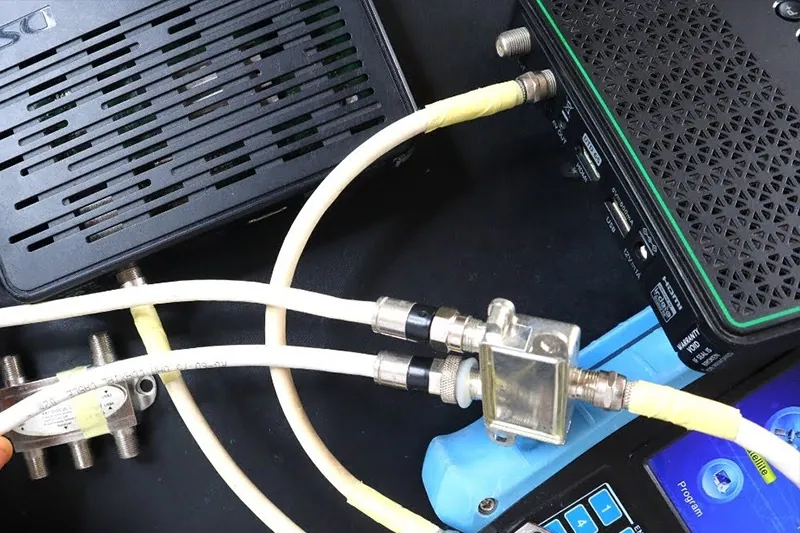
Once you know how many independent feeds you need, the installer can design the system to carry them. For anything beyond a couple of decoders, that normally means a dish feeding a multiswitch, which splits the satellite signal into separate outputs so each decoder can tune independently.
- Count feeds, not just TVs. An Explora or Explora Ultra in a manager's lounge may use more than one feed. Plan the multiswitch around the total.
- Leave spare capacity. If you might add rooms or a patio screen later, allowing for it now is usually easier than replacing the multiswitch.
- Smart LNB has limits here. DStv says its Smart LNB is not generally suitable for commercial or retail environments, so business installations usually use a conventional LNB and multiswitch.
- Long cable runs may need amplification. Rooms far from the dish, such as separate cottages across a garden, can lose signal over distance. The installer will measure and plan for it.
- Put the equipment somewhere sensible. The multiswitch and its power supply belong in a dry, ventilated spot that staff can reach but guests cannot.
Our article on signal distribution for multiple viewing points goes further into splitters, switches and multiswitches.
Neat Cabling Your Guests Will Not Notice
In a home, a cable clipped along a skirting board might be acceptable. In a guesthouse or shop it looks careless and gets snagged by cleaning trolleys and luggage. Cabling for a business should be planned for appearance as well as signal.
- Use existing routes where possible. Ceiling voids, roof space and existing conduit keep cables out of sight.
- Finish each room with a proper wall point. A plate behind the TV is neater and less likely to be damaged than a loose cable end.
- Protect outdoor runs. Cables between buildings should be protected from sun, water and garden tools.
- Label everything. Each output on the multiswitch should match a room number, so a fault in Room 6 can be traced in minutes rather than by trial and error.
Scheduling Work Around Guests and Trading Hours
An installation in an occupied guesthouse or open shop needs more planning than a home job. Drilling, ladder work and switching off screens all disrupt people.
Agree a plan in advance
Share a floor plan or walk-through so the installer knows which rooms are involved and where cables will run.
Work in phases
Do the dish and main equipment first, then rooms in batches as they become free between check-outs and check-ins.
Pick quiet trading times
For a bar or restaurant, that might be before opening. For an office, after hours or a weekend.
Test room by room
Each point should be tested and the decoder set up before the room goes back into use.
OnspotElec is open 24 hours, which helps when work has to happen outside normal trading times. Exact scheduling depends on the location, the size of the job and technician availability, so call 083 489 1322 to discuss timing.
Getting the Right Subscription
A residential subscription is meant for private viewing at home. If you show DStv to guests, patrons or customers, you generally need an appropriate commercial subscription, and DStv decides which option applies to your type of business. That has to be arranged directly with DStv.
OnspotElec installs and maintains the equipment. We do not sell subscriptions or handle account and billing matters. Contact DStv through its self-service channels to confirm the commercial option for your business before the installation.
It is worth sorting this out early, because the number of decoders and the type of viewing you are licensed for can affect how the system should be designed.
Reliability When the Screens Matter to Your Business
When a guest complains that the TV in their room is not working, or the screens go blank during a big match, it costs you more than inconvenience. A few choices made at installation reduce that risk.
- Signal margin. A dish aligned for a strong signal, not just an acceptable one, rides out more of Gauteng's summer thunderstorms. Rain fade can still interrupt viewing in very heavy downpours, but the signal normally returns once the worst passes.
- Weatherproof connections. Water in an outdoor connector is a common cause of no-signal faults. Sealed connectors and drip loops help.
- Know your single points of failure. In a shared system, the dish, LNB and multiswitch power supply serve every room. If they fail, every room goes down together, so keep their location and details on record.
- Keep spares that staff can swap. A spare remote, batteries and a short spare patch cable cover many small issues without a call-out.
- Plan for power cuts. Decoders and multiswitches need power. Backup power is electrical work for an electrician; OnspotElec does not do electrical installations, but we can tell you which equipment needs to stay powered.
- Regular checks. Looking at the dish, cables and connectors from time to time catches problems early. Our DStv maintenance guide covers what to look for.
If something fails at a bad moment, emergency DStv assistance is available.
Business DStv Questions
Generally not for viewing by guests or customers. DStv offers commercial options for that, and you should confirm with DStv which one applies to your business.
If guests should choose their own channels, yes, each room needs its own decoder and feed. If one shared channel is acceptable, a single decoder can serve more than one screen.
It depends on the number of rooms, cable routes, access and how the work is phased around guests. The installer can give a realistic estimate after seeing the property.
Often, if the multiswitch has spare outputs and the dish and cabling are in good condition. If not, the distribution equipment may need upgrading.
For a setup planned around your rooms, screens and trading hours, see our commercial DStv installation service, or call OnspotElec on 083 489 1322 to request a quote.