DStv Extra View, which DStv spells XtraView, is a way of linking two or three DStv decoders in the same household so they run under one subscription. Instead of paying a second full subscription for the TV in the bedroom, you pay your normal monthly subscription plus an Access Fee for each additional decoder. Each linked decoder can watch a different channel at the same time.
That is the short answer. The rest of this article covers how the link actually works, what an XtraView installation involves on the dish side, the message you may see on the second TV, and the alternatives if XtraView is not what you need.
How XtraView Works Behind the Scenes
In an XtraView setup, one decoder is the primary and the others are secondary. DStv explains that the primary decoder sends a regular signal, which it calls a "heartbeat", to the secondary decoder or decoders. That is how the system confirms the decoders are in the same home.
This has a practical consequence. According to DStv, the secondary decoders will not work if the primary decoder is removed or switched off, while the primary keeps working even if a secondary decoder has a problem or the link is broken. So the decoder you choose as primary matters.
- Two or three decoders. XtraView links two or three decoders in one household, all under one subscription.
- Same package on every decoder. DStv says linked decoders cannot have different packages, and they receive the same channels.
- Each decoder runs on its own. Someone can watch sport in the lounge while someone else watches a series in the bedroom. DStv notes, for example, that a BoxOffice movie rented on one linked PVR can only be watched on that PVR.
- Three decoders need an Explora as primary. DStv requires a DStv Explora as the primary decoder when three decoders are linked.
What It Costs, in Principle
DStv's own FAQ sets out the structure. With two decoders you pay your regular subscription plus one Access Fee. With three, you pay your subscription plus two Access Fees.
There is one nuance that catches people by surprise in a good way. If one of your decoders is a PVR, such as an Explora, you are already paying the PVR Access Fee, so DStv says viewing on the second decoder carries no extra monthly fee. Fee amounts change, so check the current figures on DStv's self-service channels. OnspotElec does not sell subscriptions or set these fees.
XtraView is both a subscription arrangement and a physical installation. DStv links and bills the decoders on your account; an installer gets the signal to each decoder. You will usually need to contact DStv as well as book the installation.
What an XtraView Installation Involves
The subscription side happens on your account, but each decoder still needs its own working satellite feed from the dish. For most homes, the installation looks something like this:
- Choosing the primary decoder. Usually this is the PVR, or the decoder at the TV you watch most. DStv also suggests making the primary the decoder you would take on holiday, since the secondary stops working without it.
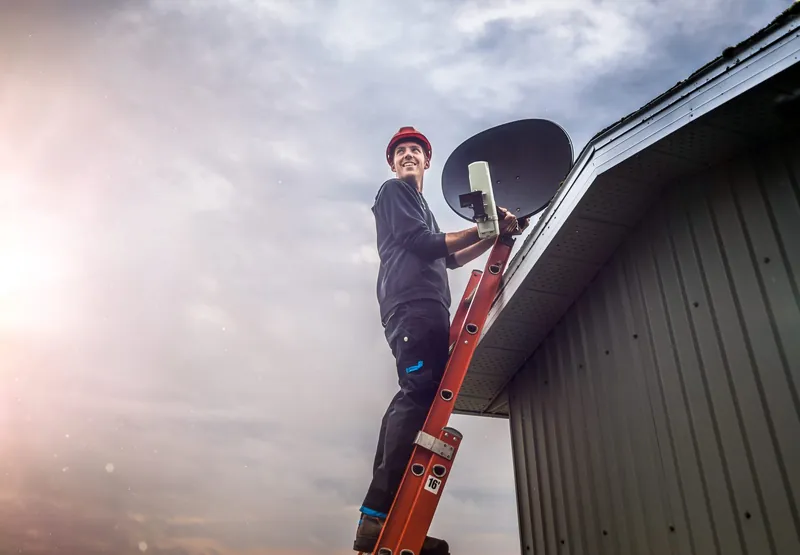
- Checking the LNB. Every decoder, and every tuner in a PVR, needs a feed. DStv recommends its Smart LNB for most XtraView installations in freestanding homes. Our guide to replacing a DStv dish or LNB explains when the LNB itself is the problem.
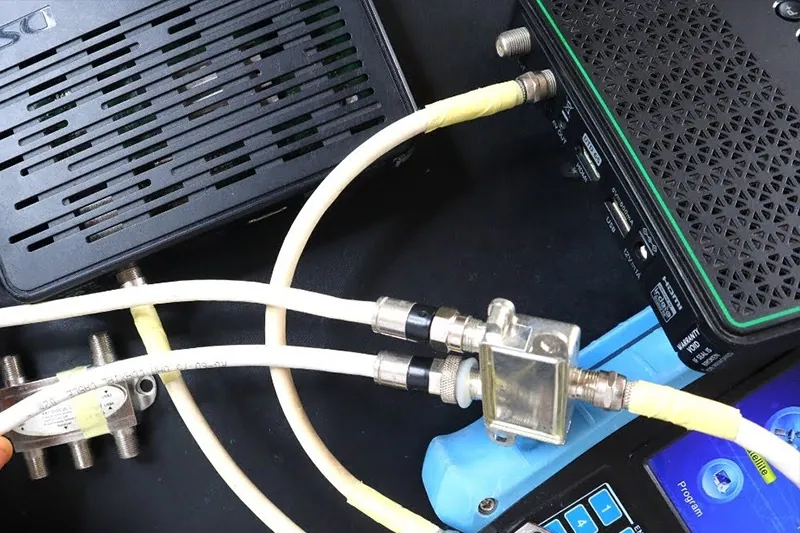
- Running cable to the second room. This is often the biggest part of the job: getting coaxial cable from the dish or distribution point to the new TV point neatly and safely, through roof space or along walls.
- Connecting and testing each decoder. Each decoder is connected, signal is checked on each one, and the second TV is confirmed to be working independently of the first.
- Linking on your account. You contact DStv so the decoders are linked and billed correctly.
If you used a DStv installation voucher, note that DStv's standard voucher package excludes linking decoders and connecting a decoder to more than one TV. Those are quoted separately. OnspotElec quotes on the actual cabling and equipment your home needs, which you can arrange through our XtraView installation service.
The E143-4 Message on the Second TV
A message commonly reported on XtraView setups is E143-4, which appears on a secondary decoder that is waiting for the primary decoder. Because of how the heartbeat works, the most common reasons are simple ones.
- The primary is off or unplugged. Switch it back on and give the decoders a few minutes. Leaving the primary on standby rather than off at the wall avoids this.
- The primary has been moved. If the primary decoder went to a holiday house or another room without its feed, the secondary loses contact.
- The primary has no signal. If the primary decoder is showing a signal error of its own, the secondary will struggle too. Our article on the E48-32 no-signal error covers that.
- An account issue. If both decoders are on and receiving signal and the message stays, contact DStv to check that the decoders are still linked on your account.
Other Ways to Watch on a Second TV
XtraView is not the only option, and it is not always the right one. Here is how the common alternatives compare.
| Option | How it works | Best for |
|---|---|---|
| XtraView | Two or three decoders linked under one subscription, each watching its own channel | Households where people want to watch different things at once |
| One decoder to a second TV | The output of a single decoder is shared to another TV, so both screens show the same channel | A patio or second lounge where you only ever watch what is on the main TV |
| DStv Streama | An internet streaming box that needs no dish | A room that is hard to cable, provided your home internet is reliable |
Sharing one decoder's picture to a second TV means whoever holds the remote decides what both rooms watch. It suits some homes perfectly and frustrates others. For a fuller look at distributing signal around a larger property, see our article on DStv for multiple viewing points.
XtraView Mistakes Worth Avoiding
- Splitting the dish cable with a cheap splitter. Sharing one satellite feed between decoders with an ordinary splitter can leave one or both with weak signal or missing channels. Each decoder needs a proper feed of its own from the LNB or switch.
- Making the wrong decoder the primary. If the primary is the one that moves around, the TV at home stops working whenever it is away.
- Switching the primary off at the wall at night. The next person to switch on the second TV finds it waiting for the primary's heartbeat.
- Expecting different packages on different TVs. DStv does not allow this on linked decoders.
- Forgetting complex rules. In sectional title schemes and apartment blocks, signal usually comes from a shared system, and adding a TV point may need permission from the body corporate or managing agent.
XtraView Questions We Hear Often
XtraView is for decoders in the same household. Because the secondary decoder relies on the primary's heartbeat, a secondary decoder at another address will not keep working.
Yes. DStv says an Explora can be linked with one or two other decoders, and an Explora must be the primary when three are linked.
Not usually, if the existing dish is sound and well aligned. The LNB and cabling are what normally change. A rusted or damaged dish is better replaced at the same time.
No. Linking and billing are done by DStv. We handle the physical installation, the signal to each decoder and testing. If you are in an area such as Kempton Park or anywhere else in Gauteng, call to check scheduling.
Thinking about a second or third decoder? Call OnspotElec on 083 489 1322, open 24 hours, and tell us which rooms you want connected. We will explain what the cabling involves and give you a quote based on the work.