A DStv Explora installation is more than plugging in a new decoder. The Explora and Explora Ultra are PVRs (personal video recorders), which means they can record one channel while you watch another, so they need a satellite feed that can supply more than one signal at a time. In most homes that means checking or upgrading the LNB on the dish, connecting the decoder to the internet if you want Catch Up and streaming, and running the decoder's setup wizard once everything is connected.
This guide explains each part in plain terms, so you know what to expect whether you are buying your first Explora or upgrading from an HD decoder.
Explora or Explora Ultra: The Practical Difference
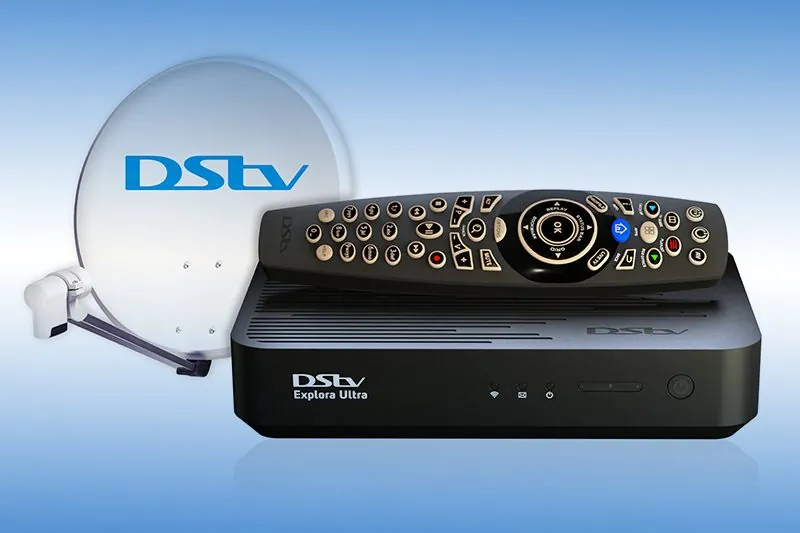
Both decoders let you pause live TV, record shows and series, and keep recordings on a built-in hard drive. The differences are mostly about generation and features.
| Decoder | What it is | Good to know |
|---|---|---|
| DStv Explora Ultra | DStv's current flagship PVR | 4K-capable, can record several channels at once, has built-in Wi-Fi and streaming apps |
| DStv Explora | The previous-generation HD PVR | Records and pauses live TV; connects to the internet by Ethernet cable or the DStv Wi-Fi Connector |
| DStv HD Single View | Entry-level satellite decoder | Watches satellite channels only; it cannot record |
If you are choosing between the two PVRs, think about how you watch. A household that streams a lot, wants 4K-capable equipment or regularly records clashing programmes will get more from the Explora Ultra. If you mainly want to pause and record your regular shows, an Explora still does that job. For current models, prices and availability, check DStv's own channels, because these change.
Why a PVR Needs the Right LNB Feed
The LNB is the unit on the end of the dish arm that collects the satellite signal and sends it down the coaxial cable to your decoder. A basic installation for a single HD decoder only has to deliver one signal. A PVR is different: to record one channel while you watch another, it has to receive more than one signal at the same time.
That is why many older dishes are not ready for an Explora as they stand. The decoder may switch on and show channels, but recording while watching, or recording two things at once, may not work properly.
DStv's answer is the DStv Smart LNB. According to DStv, it builds the features of a DStv switch into the LNB itself, uses UniCable outputs, and is recommended for all DStv Explora installations. In practice this usually means the decoder gets everything it needs through a single cable from the dish, which keeps the cabling simpler.
- Freestanding homes. Fitting a Smart LNB to a sound, correctly aligned dish is the usual route for an Explora installation.
- Complexes and apartment blocks. DStv says the Smart LNB is not generally suitable for multiple unit dwellings. Buildings with a shared dish and multiswitch distribution need a different approach, covered on our complex and estate installation page.
- Old or damaged dishes. If the dish itself is rusted, bent or badly placed, swapping only the LNB will not give a reliable result. The dish and LNB replacement service covers both.
What the Installation Involves
Every property is different, but an Explora installation by an authorised DStv installer generally covers these stages.
Checking the existing setup
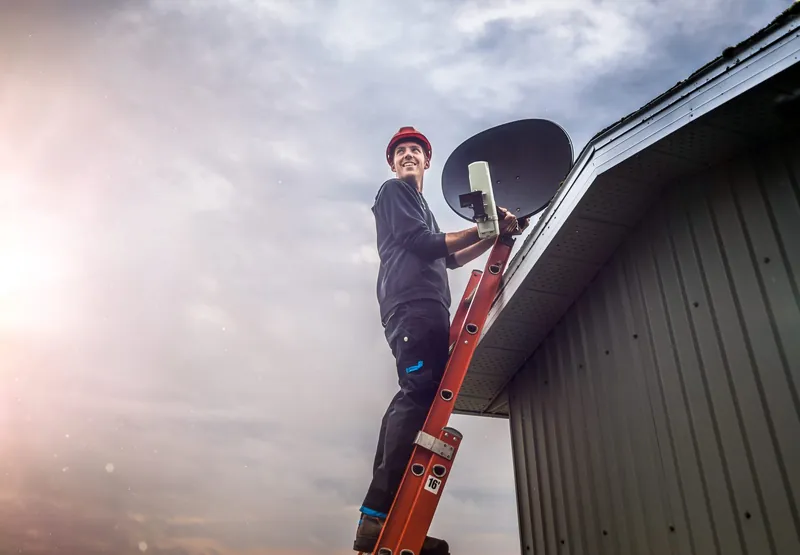
The technician looks at the dish, its mounting, the LNB, the cable run and the connectors. Sun-perished cable, corroded connectors or a dish that has drifted out of alignment all need attention before a PVR will perform properly.
Fitting or confirming the LNB
Where the existing LNB cannot supply the feeds the PVR needs, it is replaced, usually with a Smart LNB on freestanding homes.
Aligning and testing the signal
The dish is aimed at the satellite and the signal is measured, so there is enough margin to ride out more of Gauteng's summer storms.
Running cable and connecting the decoder
Coaxial cable is run to the TV point, terminated with proper F-connectors and connected to the decoder, and the decoder is connected to the TV by HDMI.
Confirming signal on the decoder
The decoder's installation wizard checks that it is receiving signal. DStv's Explora quick guide asks you to wait until all its tuners show signal before continuing, which is a good test that the feed is correct.
If you have bought an installation voucher through DStv, it helps to know what a standard voucher covers. DStv's own offer says an Explora or Explora Ultra voucher installation includes two TV points, with extra travel, cabling or amplification charged separately, and that linking decoders or connecting one decoder to more than one TV falls outside the standard package. That is why a quote for your property can differ from the voucher. OnspotElec quotes based on the actual work and equipment required.
Not sure whether your current dish and LNB will work with an Explora? Call 083 489 1322 and describe what you have; we can tell you what is likely to be involved before anyone climbs a ladder.
Getting Your Explora Online
The satellite signal gives you live channels and recordings. An internet connection adds the extras: DStv lists Catch Up, box sets, streaming and remote recording among the things a connected Explora can do. Your decoder still works without the internet; you simply miss those features.
- Ethernet cable. If the decoder is in the same room as your router, DStv describes a network cable as the most stable option.
- DStv Wi-Fi Connector. For the Explora, when the router is in another room, DStv's Wi-Fi Connector links the decoder to your home Wi-Fi.
- Built-in Wi-Fi. The Explora Ultra has Wi-Fi built in, so it can join your home network from the settings menu.
A weak Wi-Fi signal at the TV can make streaming stutter even when the satellite picture is perfect. Setting up your home Wi-Fi or router is outside our DStv work, so if streaming is poor, your internet provider is the right first contact.
Your First Hour With the New Decoder
Once the installer has confirmed signal, a few simple steps get you comfortable with the decoder.
- Make sure the decoder is linked to your DStv account. If you see a message about the subscription or a scrambled service, this is handled by DStv, not the installer.
- If a message asks you to wait while your subscription is confirmed, leave the decoder on a channel for a few minutes. E30 is commonly reported in this situation after activation.
- Connect to the internet using one of the options above, if you want Catch Up and streaming.
- Set up the remote to control your TV's power and volume, following the remote's quick guide.
- Make a test recording of a programme and play it back, so you know recording works while you watch another channel.
- Keep the decoder on standby rather than switching it off at the wall, so it is ready to make the recordings you have scheduled.
Upgrading From an HD Decoder
Many people moving to an Explora already have a dish and an HD Single View decoder. The good news is that a well-placed dish can often stay where it is. The work usually centres on the LNB and the cabling, because a single-decoder feed is rarely enough for a PVR.
Points worth thinking about before the upgrade:
- Where the old decoder goes. If you want to keep it on a second TV, that becomes a linked-decoder setup. Our article on how DStv XtraView works explains the subscription side.
- The condition of the cable. Cable that has been on the roof for years may be perished. Replacing it at the same time saves a second visit.
- Account changes. Swapping decoders on your account is done through DStv. The installer connects and tests the equipment.
For a broader look at swapping equipment, see what to know about DStv decoder replacement.
Your Explora Questions, Answered
It may show channels, but recording while watching another channel often depends on the LNB and cabling. An existing single-decoder setup frequently needs an LNB upgrade before a PVR works fully.
No. Live channels and recordings come over the satellite. Internet is only needed for the connected extras such as Catch Up, box sets, streaming and remote recording.
Usually not on a shared system. DStv says the Smart LNB is not generally suitable for complexes and apartments, which normally use a shared dish with multiswitch distribution. Speak to your body corporate or managing agent first.
Yes. OnspotElec works throughout Gauteng, from Centurion and Pretoria to Johannesburg and the East Rand. Scheduling depends on location, the work required and technician availability.
No. Subscriptions, account linking and billing are handled by DStv through its self-service channels and customer service. We handle the physical installation, signal and connections.
If you are planning an Explora or Explora Ultra, the simplest next step is a conversation about what you already have. Call OnspotElec on 083 489 1322, any time of day, or request a quote online.